Figma Plugin · Import & Export · MIT
Under Review — Official Figma Publication
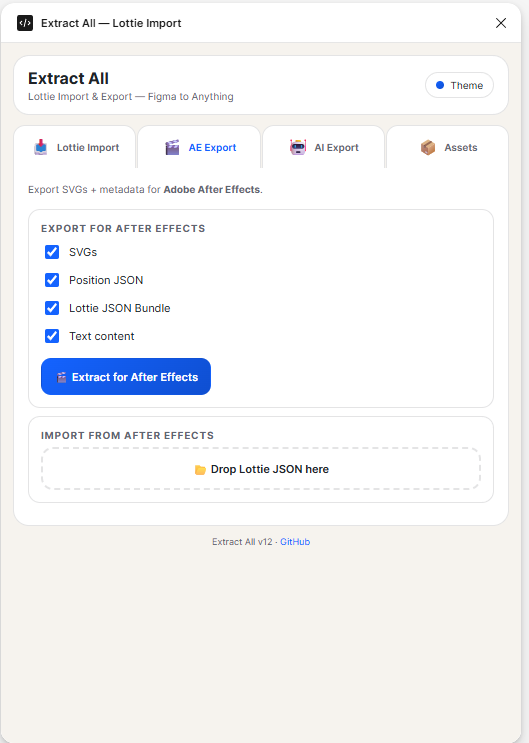
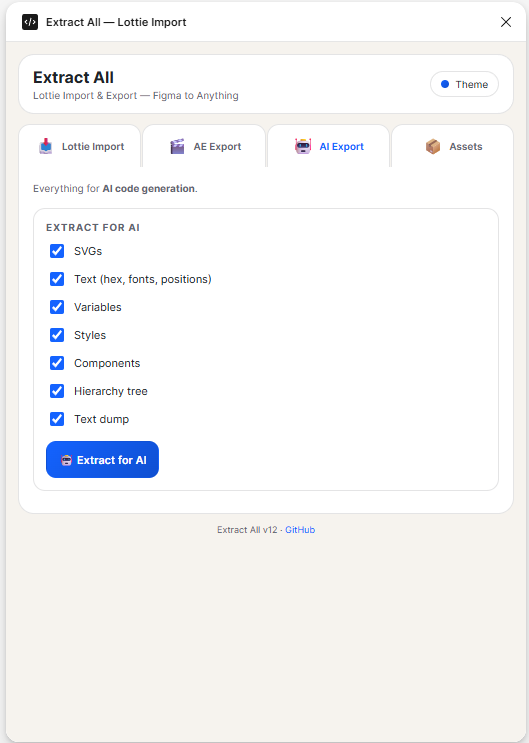
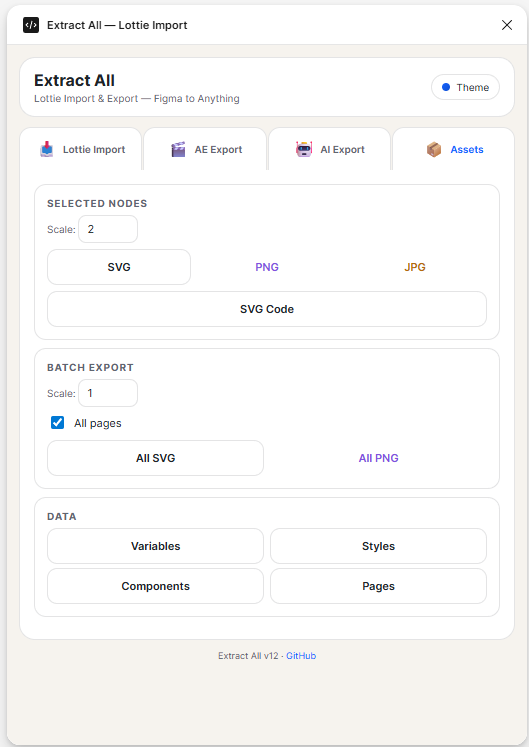
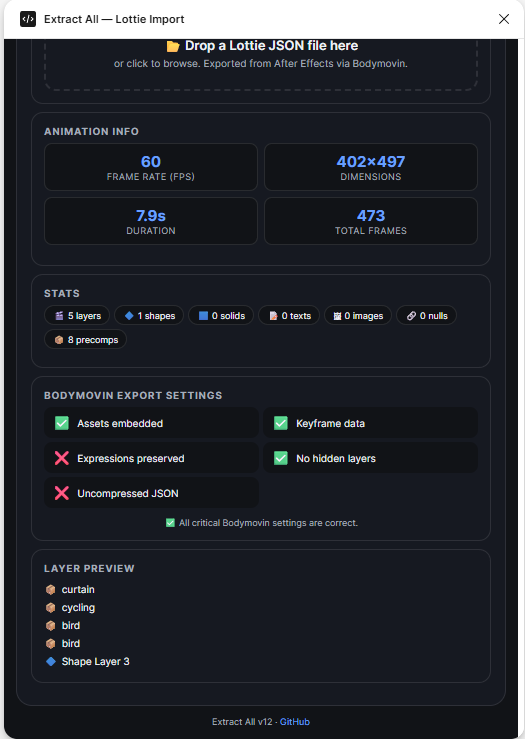
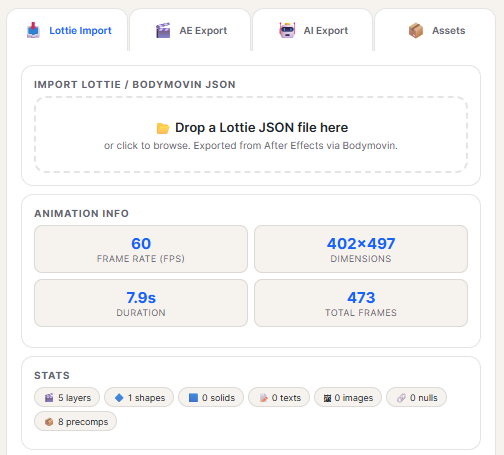
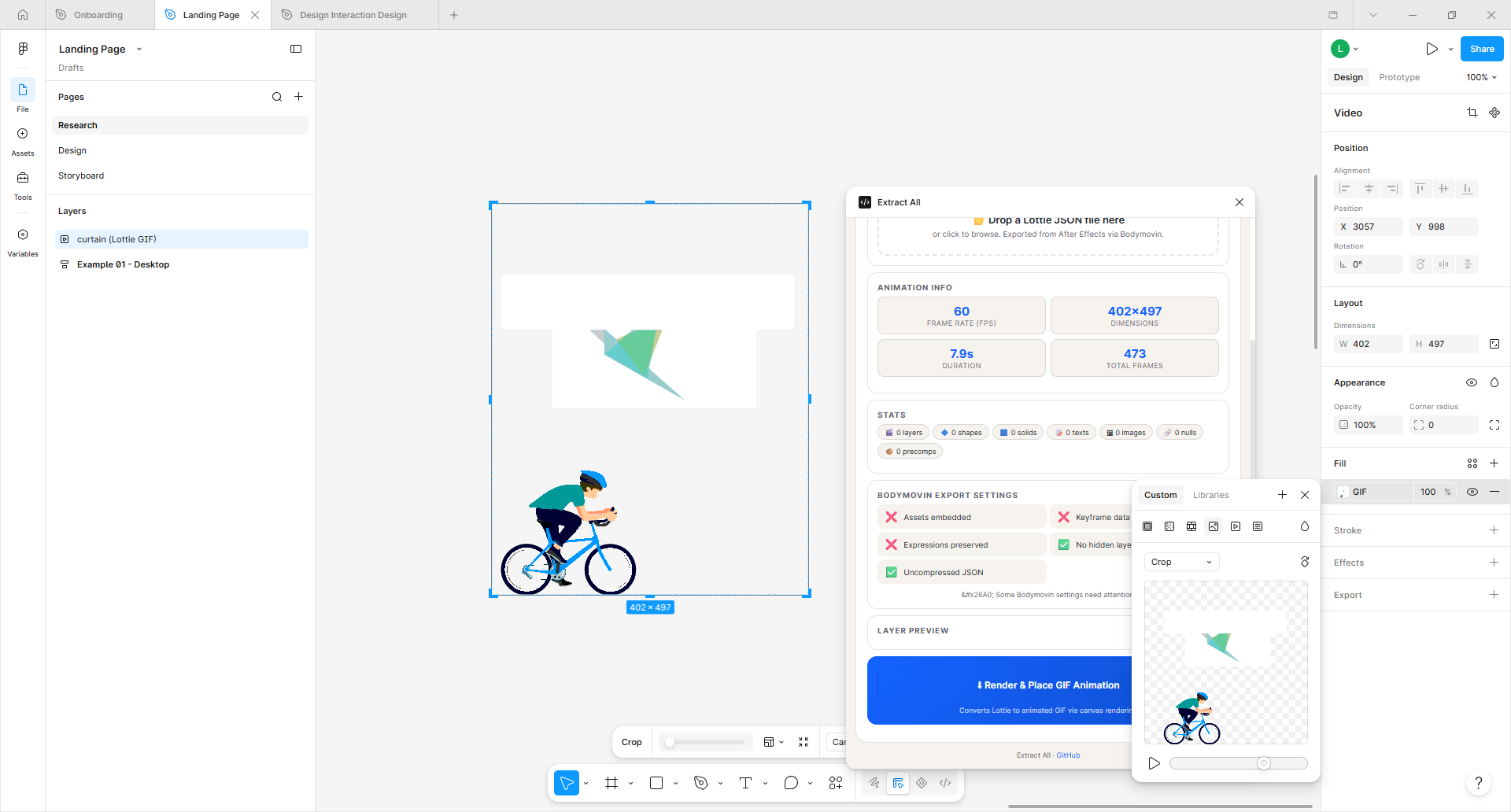
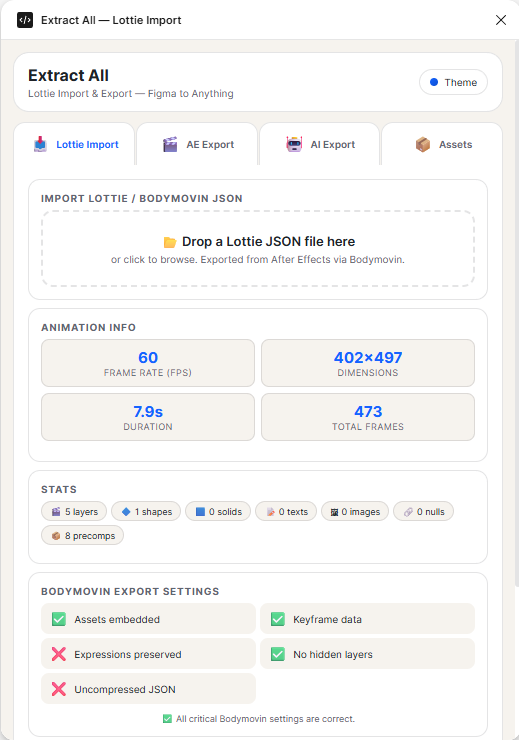
Click to zoom Import Lottie JSON — Extract All for AI plugin UI showing Lottie import and full extraction panel

Import Lottie JSONExtract All for AI

Your Lottie animations don't have to stay locked inside a JSON file. Import Lottie JSON brings any Lottie animation straight into Figma, turning every frame into native, editable Figma vectors — no re-tracing, no rebuilding from scratch. Hand an exported Lottie file to a designer who's never opened an animation tool, and they can open it, restyle it, and rebuild it like any other Figma file. It's the fastest way to bring motion work back into the design process.

Once it's in Figma, Extract All for AI takes it the rest of the way. One click pulls every SVG, Variable, and CSS value out of your file into a clean, structured export — ready to paste into Cursor, Claude, ChatGPT, v0, or whatever AI coding tool you're using. Extracted SVGs also drop straight into Adobe After Effects, so the animation you just imported can head right back out as a polished motion scene, or as a working website.

Import a Lottie animation. Reshape it in Figma. Extract it for code or motion. One plugin, both directions.
Two Directions, One Plugin

Import Lottie animations into Figma as editable vectors, then extract everything for AI tools and After Effects.

Import Lottie JSON
Every frame → Figma vectors
Edit in Figma
Restyle, reshape, rebuild
Extract All for AI
SVGs, Variables, CSS → Cursor, Claude, AE

What Import Lottie JSON Gets You

Bring motion work back into the design process — no animation tool required.

Lottie → Editable Figma Vectors

Every frame of your Lottie animation, brought in as native, editable Figma vectors. No flattening, no rasterizing — real vector layers you can select, move, restyle, and tweak like any other Figma element.

No Re-Tracing or Manual Redraws

Stop exporting PNGs and tracing over them. Import Lottie JSON skips the busywork — the vectors land directly in Figma, ready to edit. Hand an exported Lottie file to a designer and they can work with it immediately.

A Normal Figma Layer Structure

Your whole team can already work with it. Layers are organized, named, and grouped exactly as you'd expect — no proprietary formats, no locked-down structures, just standard Figma frames and vectors.

Restyle & Rebuild Freely

Change colors, adjust strokes, swap shapes, reposition elements. Once the Lottie is in Figma, it's yours to redesign — the animation structure stays intact while you iterate on the visuals.

Instant, No Converters Needed

No middleware, no third-party converter apps, no export-then-reimport loops. Select a Lottie JSON file, click Import, and the animation is in Figma as editable vectors — in seconds.

Vector-Perfect, Every Frame

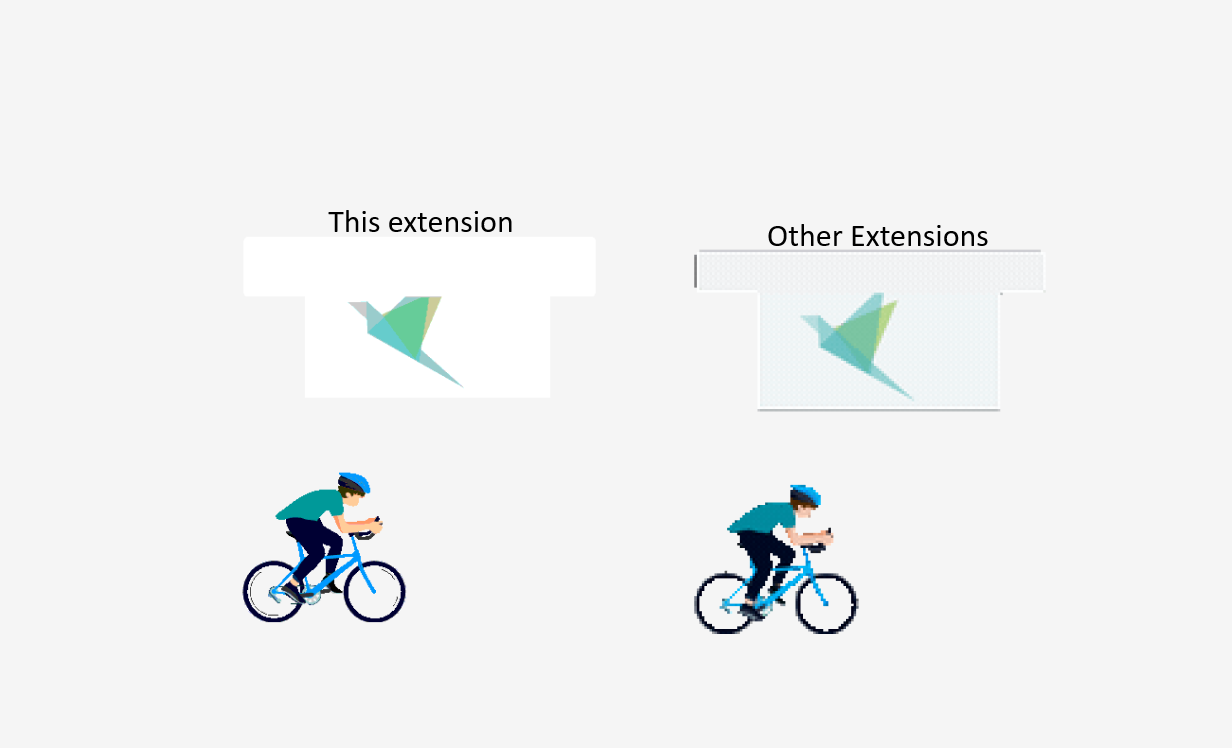
Unlike GIFs that pixelate at any scale, Lottie JSON is resolution-independent vector data. Your animations stay razor-sharp at 1x, 2x, 4x — or on an 8K display.

Extract All for AI — One Click to Code

Once your design is in Figma, Extract All for AI pulls every SVG, Variable, and CSS value into a clean structured export — ready for AI coding tools and After Effects.

AI Coding Tools Ready

Paste extracted SVGs, variables, and CSS directly into Cursor, Claude, ChatGPT, v0, GitHub Copilot, or any AI coding assistant — complete design context in one structured export.

Straight into After Effects

Extracted SVGs drop directly into Adobe After Effects — the animation you imported can head right back out as a polished motion scene with full vector fidelity.

CSS Variables & Design Tokens

Extract named design tokens, hex colors, CSS rgba() values, and variable modes — ready for your design system, Tailwind config, or CSS-in-JS setup.

Full Data Extraction

Export JSON/text data — full extract, text only, variables, styles, components, and pages. Everything structured and ready to parse.

Batch Export

Export every node on the current page (or all pages) as SVG/PNG with real-time progress feedback.

Selected Nodes

Export only the nodes you've selected in Figma as SVG, PNG, JPG, or raw SVG code — selective, fast, precise.

Screenshots & Gallery

See every panel and export mode in action. Click any image to zoom.

Export Formats

Choose exactly what you need — from raw SVGs to structured JSON for AI coding tools.

FormatUse Case
Lottie JSON Import ★ UNIQUEImport Lottie animations as editable Figma vectors — no re-tracing, no flattening
SVGVector graphics → After Effects, AI coding tools, websites
PNGRaster images at chosen scale (1x–8x)
JPGCompressed raster for web/email previews
SVG CodeRaw SVG markup as .svg text files
JSONStructured data for AI pipelines, scripts, database imports
TXTPlain text for LLM context, copy-paste into Cursor/Claude/ChatGPT
CSS / VariablesDesign tokens, hex colors, rgba() values, named modes

Full Extract Output Structure

{FileName}_full-extract.json ← Complete structured data for AI
{FileName}_text.json ← All text nodes with typography
{FileName}_text.txt ← Plain text dump (paste into LLMs)
{FileName}_variables.json ← All design variables & tokens
{FileName}_styles.json ← All styles (paint, text, effect, grid)
{FileName}_components.json ← All components
{FileName}_pages.json ← Page structure

// Each node as individual file:
node-name.svg / node-name.png
page-name/node-name.svg (page-prefixed)

Use Cases

After Effects

Extracted SVGs drop straight into After Effects — import an animation, reshape it in Figma, export for motion

Design Tokens

Variables + Styles JSON for automated design token pipelines

Content Audit

Text JSON + TXT for comprehensive content review and localization

Component Docs

Components JSON + SVG exports for automated documentation

Design Backup

Full Extract + all SVGs + PNGs for complete design archiving

Dev Handoff

Export everything a developer needs — assets, tokens, text — in one click

How to Install

Get the plugin running in Figma in under a minute. Under review for official Figma Community publication — soon available directly in the plugin directory.

Option A — Figma Desktop (recommended)

  1. Download the latest .zip from GitHub Releases
  2. In Figma: Plugins → Development → Import plugin from manifest
  3. Select manifest.json
  4. Done — open any Figma file and run "Import Lottie JSON — Extract All for AI"

Option B — Build from Source

git clone https://github.com/Lukas-Bohez/figma-extract-all.git
cd figma-extract-all
npm install && npm run build

Keyboard Shortcuts

ShortcutAction
Ctrl+Enter / ⌘+EnterFull Extract
EscCancel export

GitHub Repository

Star the repo, fork it, contribute — all code is MIT licensed and open source. The only Figma plugin that imports Lottie JSON as editable vectors and extracts everything for AI.

View on GitHub