Lofi extension
A calm lo-fi player in its own small window, with the music bundled in. Free, no account, and it asks for nothing but its own storage.
- Version
- 2.1.0
- Browsers
- Firefox, Chromium
- Size
- ~43 MB
- Tracks
- 14 + 11 loops
- Price
- Free
Download
Firefox gets the official add-on listing, so it updates itself. Chromium browsers use the unpacked ZIP.
Key features
Fits whatever window you give it
Cover over the controls in a narrow window, controls beside the list in a wide one, and a one-line mini player when you shrink it to a strip. One button switches to mini and back.
Rain, vinyl crackle, brown noise
Ambient layers with their own levels, under the music or on their own. They are generated in the player, so they add nothing to the download.
Slowed, with reverb
Lower the speed with Keep pitch off for the slowed sound, add some room, and pick an equaliser preset like Warm tape or Late night.
Your media keys work
The track, the artist and its cover show on the lock screen and in the OS media control, and the keys on your keyboard drive it from anywhere.
Crossfade and loops that land on the beat
Up to twelve seconds of crossfade between tracks. The short loops repeat for as long as you choose, then finish their bar before moving on.
Sleep timer
Fifteen minutes to an hour and a half, or the end of this track, with a countdown in the corner and a slow fade at the end.
Your own music too
Drop files or whole folders onto the window. It reads titles, artists and cover art out of the files, and nothing is uploaded anywhere.
Privacy-focused
The only permission it asks for is its own storage: no page access, no network, no data collection, no tracking. See the privacy policy.
Screenshots
Four screens from version 2.1.0 in Firefox. Scroll or swipe the strip, use the buttons or the arrow keys, and click any screenshot to see it full size.
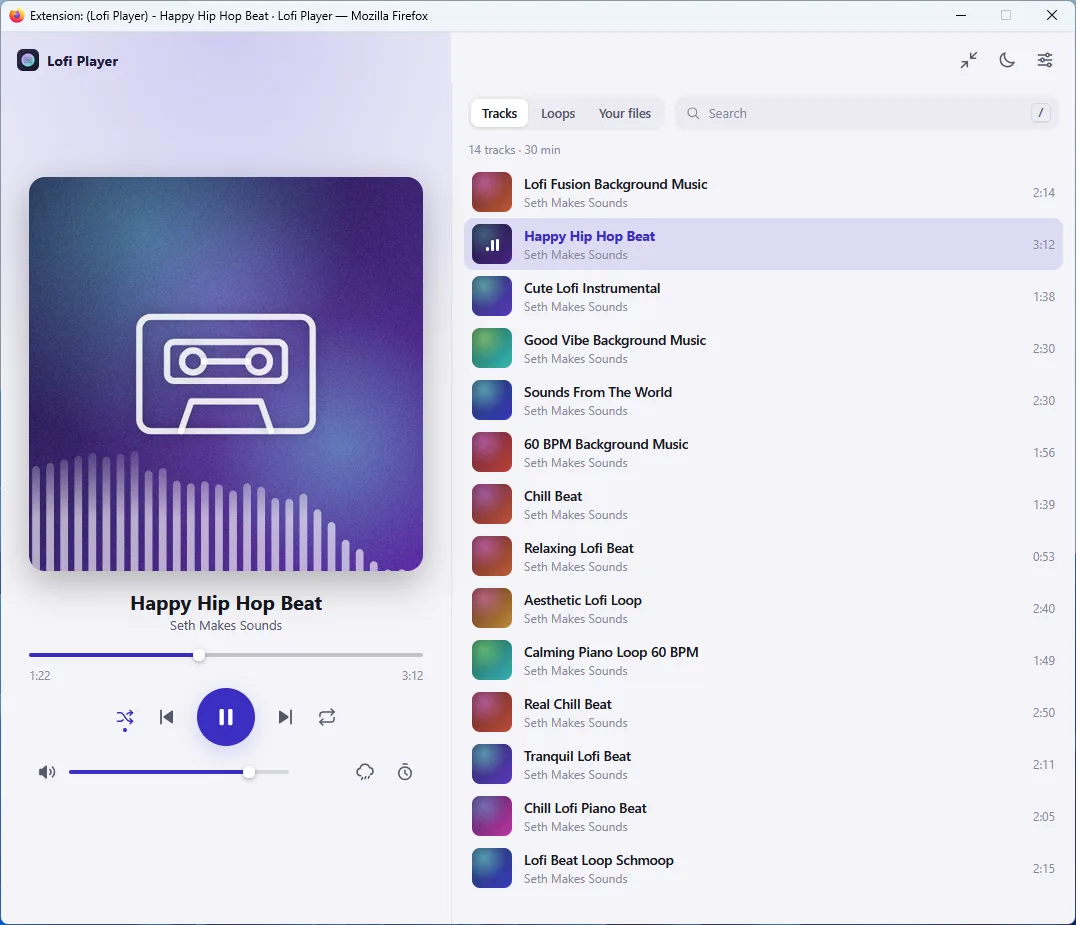
The bundled tracks, with the cover and controls beside the list
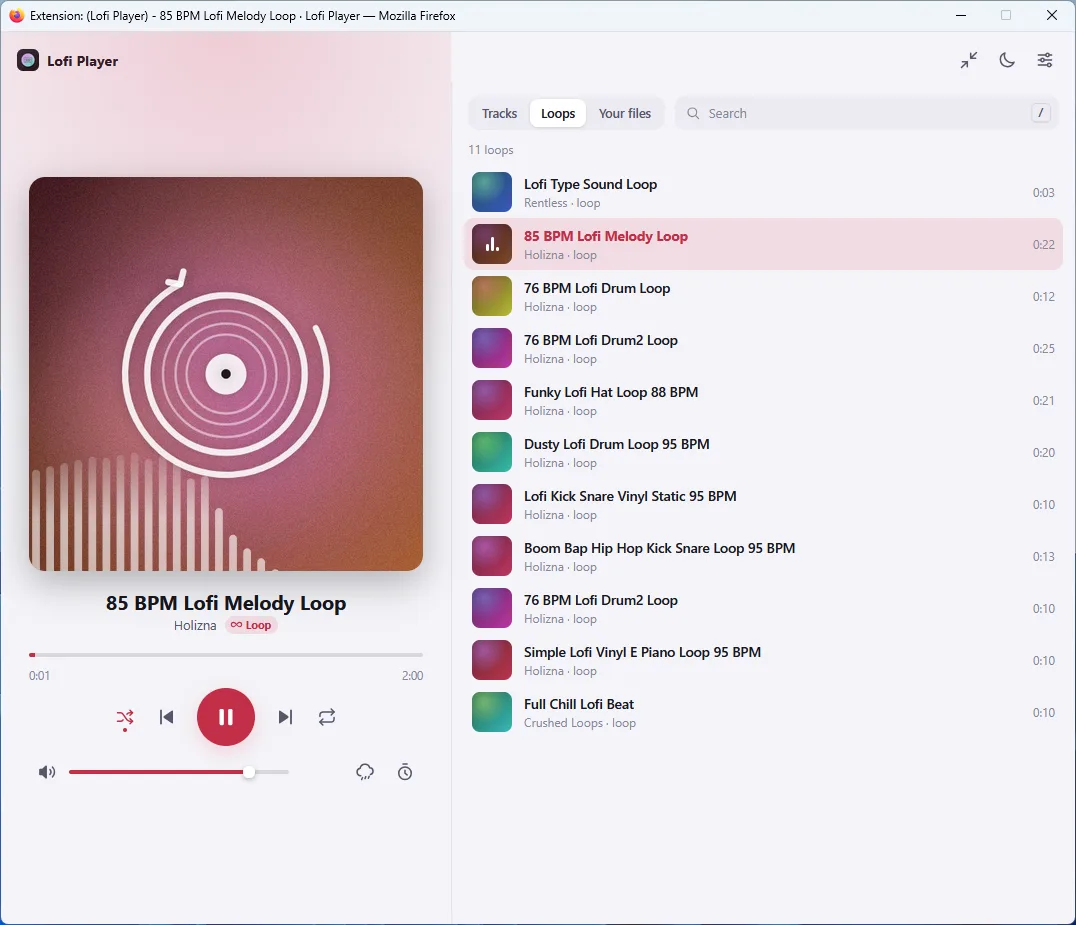
Short loops in their own tab, and the accent colour follows the cover
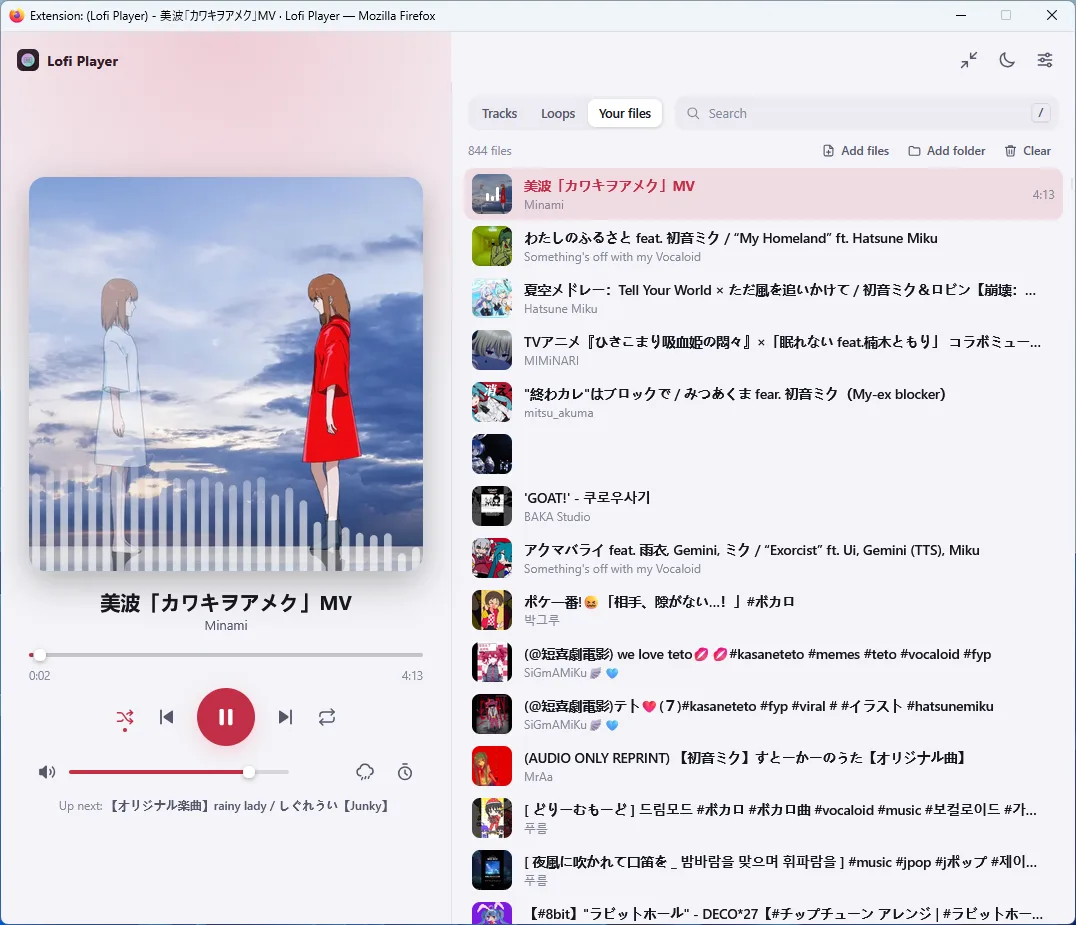
Your own files, with titles and cover art read from them
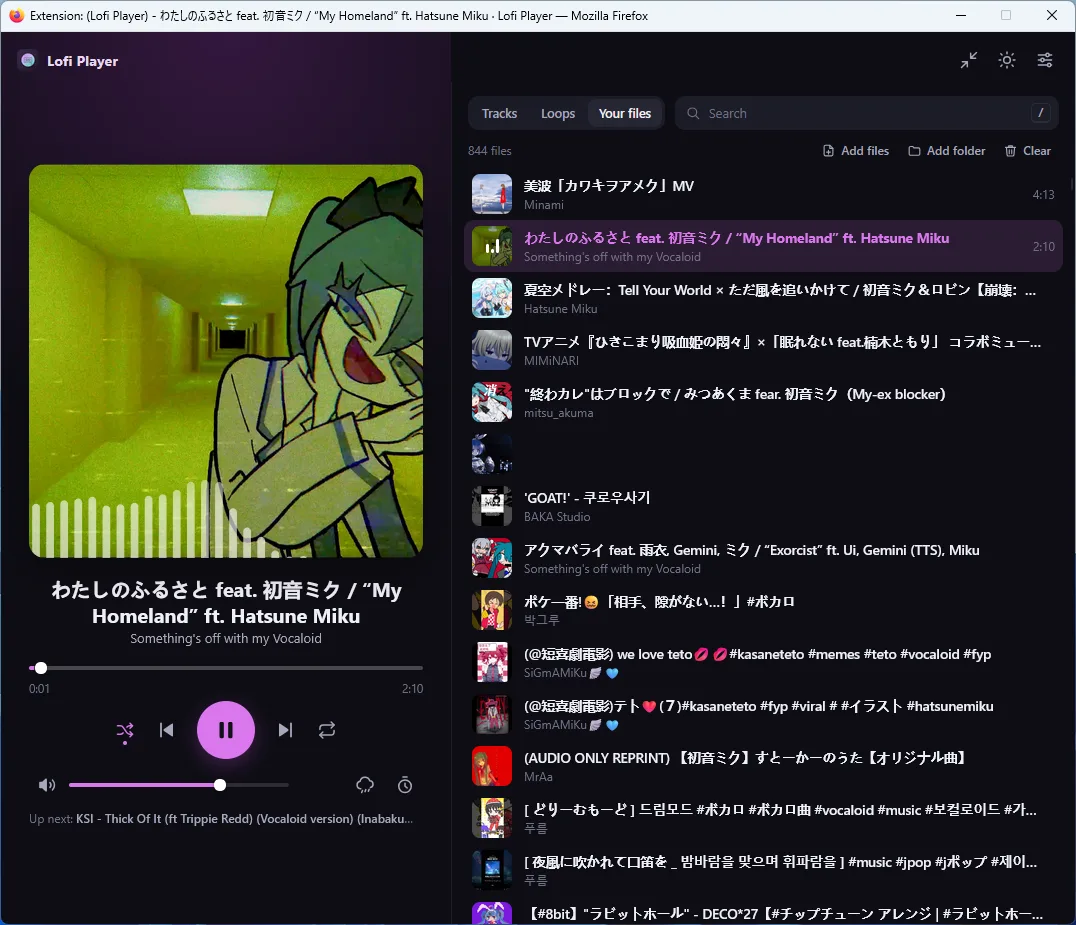
The same player in dark mode
How to install
Firefox: one click from the add-on store
- Install: click the "Install for Firefox" button above.
- Follow the prompts to add the extension to Firefox.
- Done: the extension icon appears in your toolbar.
Chrome, Edge, Brave, Opera, Vivaldi or Arc: load the ZIP, six steps
- Download: click the "Download ZIP for Chromium browsers" button above.
- Extract: unzip the file to a location on your computer.
- Open extensions: go to
chrome://extensions/. - Enable developer mode: toggle the switch in the top-right corner.
- Load extension: click "Load unpacked" and select the extracted folder.
- Done: the extension icon appears in your toolbar.
For Chromium-based browsers, manual installation is required. Keep the extracted folder. Do not delete it after installing.
Troubleshooting
The extension doesn't load
Make sure you've extracted the ZIP completely and selected the folder that contains manifest.json.
Music doesn't play
Check your browser's audio permissions and make sure your volume is not muted.
Can't find developer mode
In Chromium browsers it's the switch in the top-right corner of the extensions page.
Wrong version downloaded
Chromium browsers use LofiExtension.zip; Firefox normally installs from the add-on store. The unsigned Firefox ZIP under For developers is for working on the add-on, not for everyday use.
For developers
The Firefox build is packaged here as a plain ZIP, unsigned. It is the same archive that goes to addons.mozilla.org, before Mozilla signs it. If you want to poke at the add-on, patch something or try a change before it is released, this is the one to take.
Firefox will not install it by double-clicking.
Release Firefox refuses any unsigned add-on, and signing is what the add-on store does to the upload. To load it anyway, open about:debugging#/runtime/this-firefox, choose Load Temporary Add-on and pick the ZIP. It stays until you restart Firefox. Everyone else should use the add-on store listing above, which updates itself.
Manifest V3, GPL-compatible, and the same source tree builds both browsers. Storage is the only permission it asks for: no host access, no content scripts and no web_accessible_resources.
Still stuck? Ask in the support chat.
How posting this project went in public, community by community: the community guide.